iPhone beta · iOS 27
See your lean months coming.
Monthsight forecasts your cash month by month. Plan income as a range, move a late invoice, and see which month drops below your buffer. The answer sits on your Home Screen.
iPhone beta · iOS 27
Monthsight forecasts your cash month by month. Plan income as a range, move a late invoice, and see which month drops below your buffer. The answer sits on your Home Screen.
Forecast
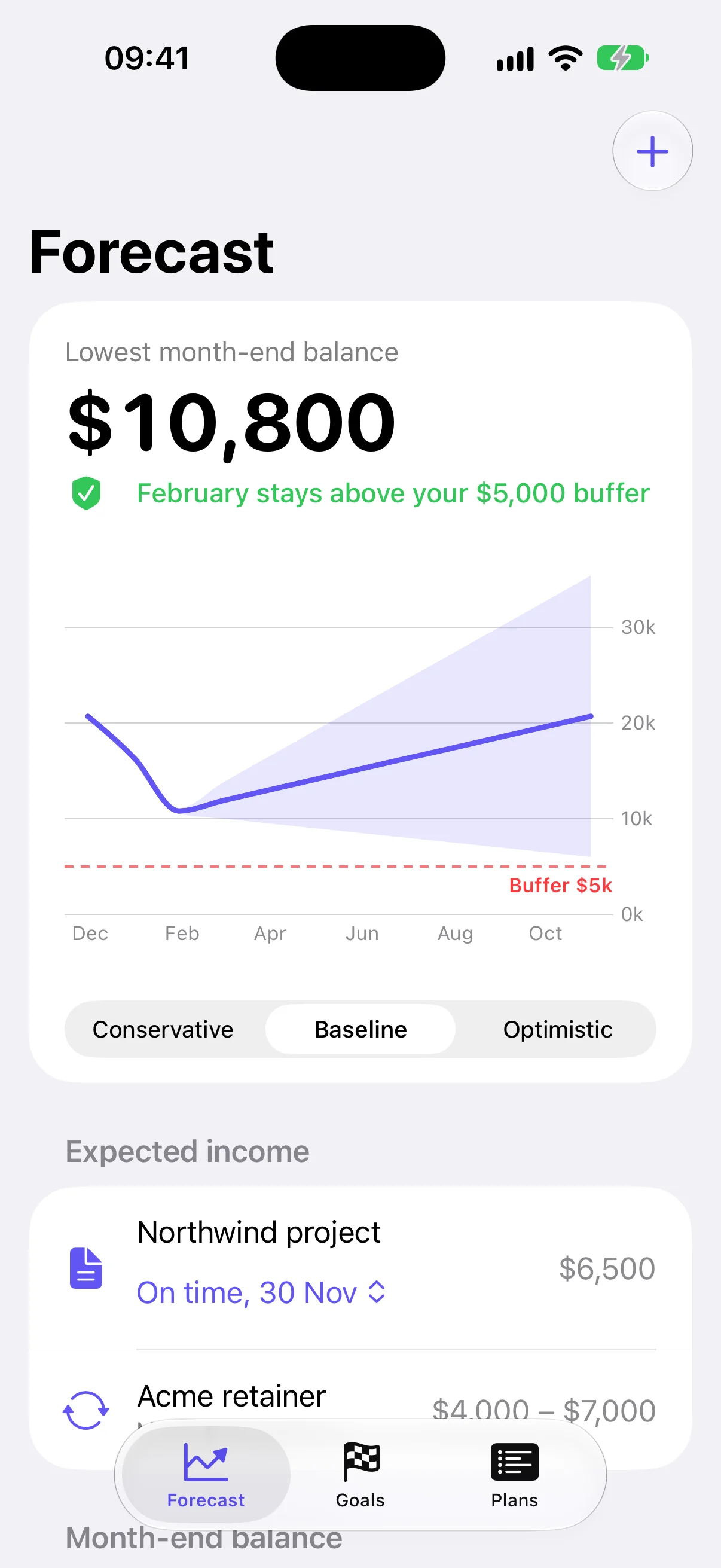
Your retainer pays $4,000 to $7,000 a month. Monthsight draws the conservative, baseline and optimistic paths for the next twelve months, with your buffer as a line you can see.
What if
Northwind owes you $6,500 on 30 November. If it lands in March, February falls to $4,300, under your $5,000 buffer. You find out in November, while you can still do something about it.
Plans
Add retainers, one-off projects, rent and subscriptions. Income can be a range, and anything can repeat monthly or every few months. Your numbers stay on your devices.
Goals
Saving for a deposit, a cushion or a year off? Each scenario gives you a date, and the dates move when your plans do.
Lock Screen
The Lock Screen tells you when a month dips below your buffer and how many months of runway you have. Mark an invoice received right from the Home Screen widget.
Freelancers, contractors and consultants. Plan around the retainer that varies and the invoice that's late, and keep a buffer you trust.
A house deposit, an emergency fund, a sabbatical. See the month you get there in the bad, likely and good case.
People who join the beta get the founding price.
Founding member
$49.99/ year
Not yet. The beta opens to people on the list first, through TestFlight.
No. A forecast needs your plans more than your past purchases, so you enter income and big costs yourself, or scan a payslip screenshot on the phone.
Yes, at launch. The widgets are the main way to use it, and they're built for iPhone.
No. The screens come from the beta build running example data.